Craft 3D Gameplay
Benjamin Man • 58.2K Plays • 116.4K Views • star 4.4 (1.5K)
All
Device
1.5K ratings
Rate This Game
gamepad How to Play Craft 3D
Controls
- WASD or Arrows Keys: move
- R: move up
- F: move down
- Mouse: look
- Left click: create blocks
- Right click: destroy blocks
- In floor duplicator, press P to duplicate
- X: return home
Block Color Selection
- 0: Grey
- 1: Black
- 2: White
- 3: Red
- 4: Green
- 5: Blue
- 6: Yellow
info About Craft 3D
One quick session in Craft 3D often turns into multiple rounds of addictive Game Online play Every interaction in Craft 3D reinforces the core principles of Play HTML5 Adventure design To expand your gaming experience, consider trying Stickman King or switching to Bridge Race.
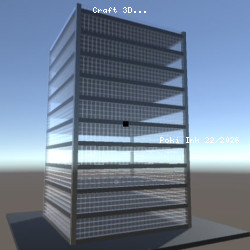
Craft 3D is a Minecraft-inspired sandbox game in which you can explore and build different 3D worlds. Use the building generator to make large buildings and skyscrapers in a matter of seconds. Make a tall and unique building with the floor duplicator by only building the first floor and duplicating it. You can also use the terrain generator to play around with pre-made objects.