Raccoon Adventure: City Simulator 3D
CyberGoldfinch • 42.7K Plays • 85.2K Views • star 4.6 (8.2K)
summarize Quick Overview
All
Device
8.2K ratings
Rate This Game
gamepad How to Play Raccoon Adventure: City Simulator 3D
Controls
- WASD or arrow keys to move
- Left mouse button to attack or click on the user interface
- Space bar to jump
- Shift to run
- C to enable/disable sneaking
info About Raccoon Adventure: City Simulator 3D
What feels simple at first in Raccoon Adventure: City Simulator 3D quickly evolves into a demanding Poki challenge Players can quickly re-engage thanks to fast restarts and smooth transitions You can keep the excitement going by switching to Space Wars Battleground or continuing with Bit Gun.io.
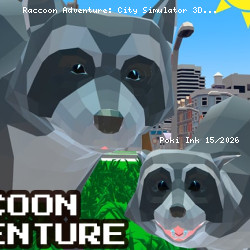
Raccoon Adventure: City Simulator 3D. This time you are playing as a raccoon. Explore every inch of the big city and start your amazing journey today! This is one of the top apps available for city simulation. It also has a unique style of gameplay. Roam through the gorgeous cityscape as a small raccoon!
Raccoons are usually frowned upon by the human population. Not this raccoon, however! Download and install the game and see what adventures you can have as this small, adorable animal. The game is listed in the adventure category of apps and it is easy to see why. The city is yours to explore - you can make your own choices as a raccoon.
Users can play and complete many different tasks and quests. Do anything from finding food and delivering goods, to driving a car or a boat. Who would have thought that you could play a game where a raccoon drives vehicles? The possibilities are endless in this city simulator.
Don’t forget to move and click to control your raccoon. Also, if you wish, you can even start your very own raccoon family. Find a suitable mate who you fall in love with and make some baby raccoons together. Also, users can change the appearance of their raccoon and choose different fur coat colors and facial features.
We forgot to mention, at the start of the game, users can choose their raccoon name and gender. The game controls are simple and use typical FPS movement keys. Users can also rotate the game camera and look around the amazing 3D city. Finally, users can also download the apk files and create their own version of this superb title.
Release Date
The game was initially released as an Android app in May 2019. The WebGL version has been available since September 2019.
Developer
Raccoon Adventure: City Simulator 3D was developed by CyberGoldfinch, the same developer who made other awesome 3D animal simulator titles, such as, Wolf Simulator and Tiger Simulator, among others.
Features
- 3D raccoon simulator game
- You can start your own raccoon family
- Customizable appearance
- A big city with forest to explore
- Exciting quests: driving a car, boat, etc.
- You can play this game in fullscreen
Platforms
- Web browser
- Android
help Frequently Asked Questions
What are the main objectives in Raccoon Adventure: City Simulator 3D? expand_more
Are there different difficulty levels in the game? expand_more
What are some tips for playing Raccoon Adventure: City Simulator 3D? expand_more
Can I customize my raccoon character in the game? expand_more
What are the controls like in Raccoon Adventure: City Simulator 3D? expand_more
Related Games

Ships 3D
Supermarket Simulator: Desert
Wolf Simulator: Wild Animals 3D
Finger Fury Flashmaster

Short Life
Tank Wars
Zoo - Happy Animals
Airline Tycoon Idle

Crazy Grand Prix

Progress Knight
GoKarts.io

Infection Town of Zombies

Blocky Parkour: Only Up Adventure
Cubes 2048.io

Homesteads: Dream Farm