SURF Gameplay
Exima • 58.2K Plays • 581K Views • star 4.4 (6.7K)
devices
All
Device
4.4
star
star
star
star
star_half
6.7K ratings
5
star
68%
4
star
18%
3
star
8%
2
star
2%
1
star
4%
Rate This Game
gamepad How to Play SURF
Controls
- Space to Jump
- WASD to walk
- R to reset
- Tab to pause, select levels, rebind keys, or change your mouse sensitivity
- Hold A to glide on Surface to the left
- Hold D to glide on Surface to the right
- Hold A mid air and move the Mouse to glide left
- Hold D mid air and move the Mouse to glide right
info About SURF
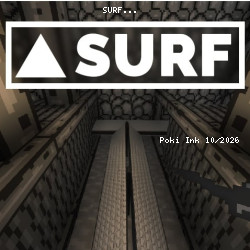
Just a few seconds on Poki Ink brings you straight into the action of SURF The experience in SURF highlights the strengths of Game Online Free design New challenges keep gameplay interesting across Obby: +1 to Spaceflight Altitude and Rush Hour Cafe.
Traverse difficult and exciting levels in SURF, a cs surf inspired browser game! Use precisely timed jumps and controls to get to the end and beat the gold medal!Release Date
November 2019Developer
Exima developed SURF.Platform
Web browserhelp Frequently Asked Questions
How do I control my character in SURF? expand_more
Use the arrow keys to move and jump.
What is the objective of SURF? expand_more
Traverse difficult levels and beat the gold medal.
How challenging is SURF? expand_more
SURF is a challenging game that requires precise timing and control.
Any tips for playing SURF? expand_more
Practice your timing and control to master the levels.
Are there different levels in SURF? expand_more
Yes, there are multiple levels with increasing difficulty to complete.
Related Games

Ships 3D
Supermarket Simulator: Desert
Wolf Simulator: Wild Animals 3D

Finger Fury Flashmaster

Short Life
Tank Wars

Zoo - Happy Animals

Crazy Grand Prix

GoKarts.io
Infection Town of Zombies

Blocky Parkour: Only Up Adventure
Cubes 2048.io

Syder Hyper Drive

Turnfight
Mortal Kombat Karnage