sidebar-left
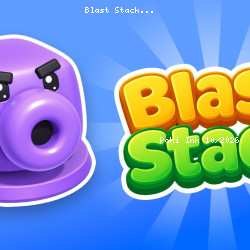
Blast Stack

Blast Stack Free Online

Mintah Games Inc.167.1K Plays1M Views star 4.4 (1.1K)

devices

All

Device

4.4
star star star star star_half

1.1K ratings

5 star
60%
4 star
26%
3 star
8%
2 star
2%
1 star
3%

Rate This Game

gamepad How to Play Blast Stack

Controls

Use the left mouse button to play.

info About Blast Stack

The design of Blast Stack rewards quick thinking within its dynamic free games framework There’s a natural flow to how Blast Stack plays, making each session feel effortless and smooth

Select a Character to deploy it onto the conveyor belt. As it moves along, it automatically blasts matching-color cubes. The value displayed above it indicates how many shots it has available. When that count reaches zero, the Character leaves the play area. If shots remain, it moves into one of the five standby slots. From there, you can activate it again to send it back onto the belt for another firing pass.
help Frequently Asked Questions

How do I deploy a Character in Blast Stack? expand_more
Select a Character and place it on the conveyor belt to start blasting matching-color cubes.
What happens when a Character runs out of shots? expand_more
When a Character's shot count reaches zero, it leaves the play area. If shots remain, it moves to a standby slot for later use.
How can I activate a Character in the standby slots? expand_more
You can activate a Character in the standby slots to send it back onto the conveyor belt for another firing pass.
What is the objective of Blast Stack? expand_more
The objective is to blast matching-color cubes as they move along the conveyor belt using the Characters you deploy.
Are there any tips for playing Blast Stack? expand_more
Try to strategically deploy Characters to maximize the number of cubes blasted and conserve shots for later levels.

Trending Discoveries

View All arrow_forward